

Documentation Index
Fetch the complete documentation index at: https://docs.affeasy.link/llms.txt
Use this file to discover all available pages before exploring further.
1. Prerequisites
Before you begin, ensure you have:- An active Impact.com Publisher Account
- An AffEasy account
2. Access the API Settings Page
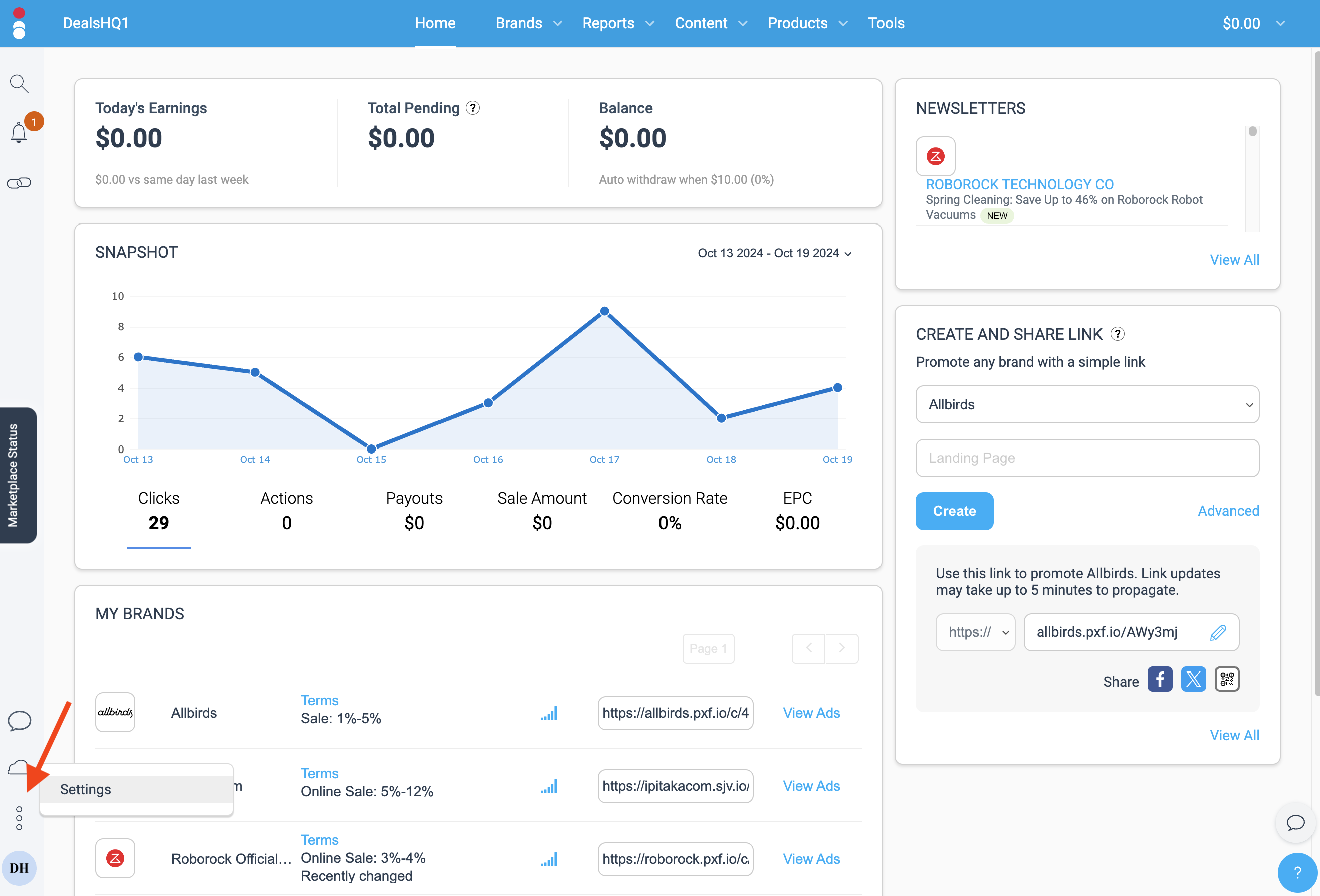
- Click the three dot icon in the bottom right corner of your publisher dashboard.
- Select “Settings” to access your Account Settings
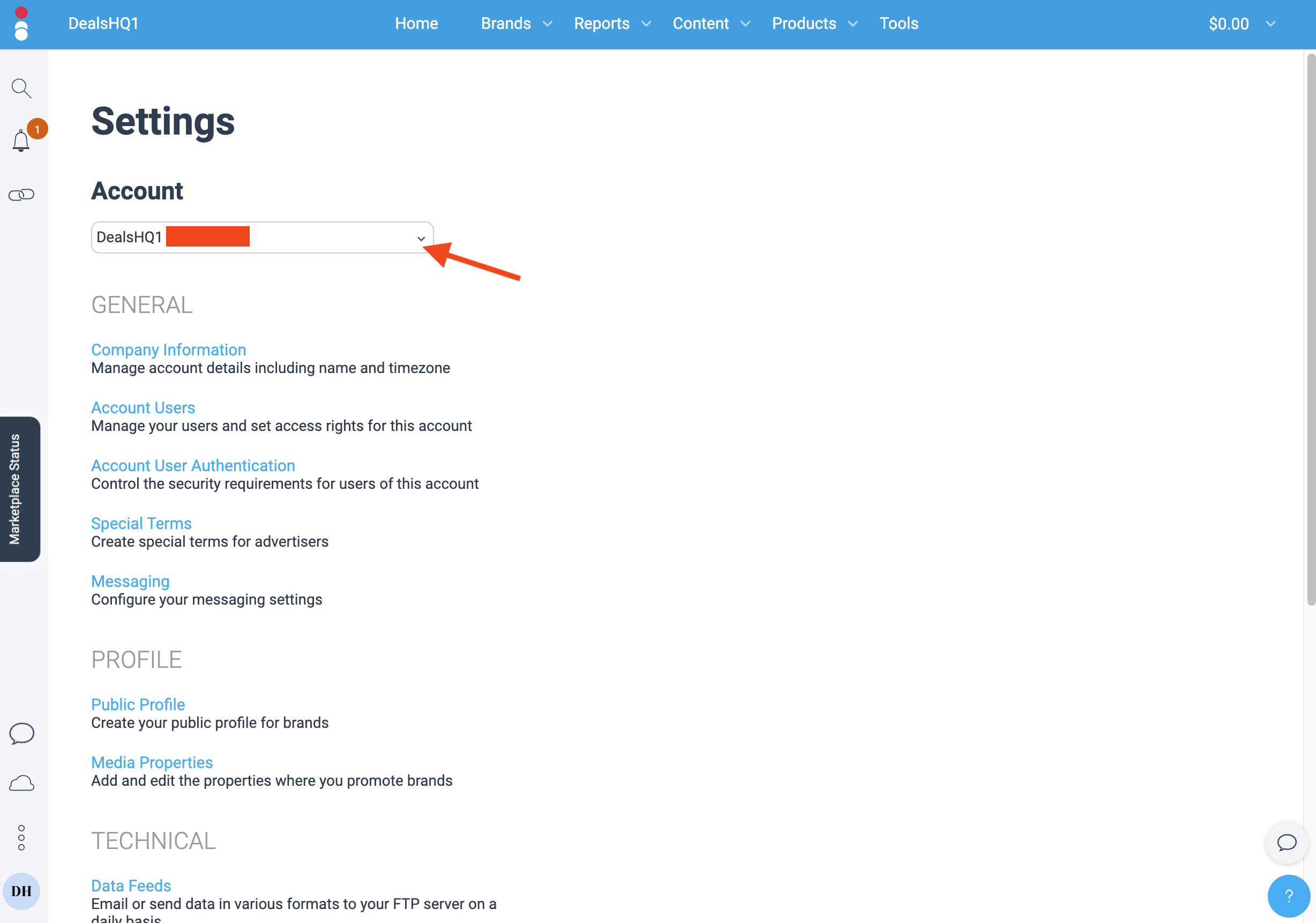
- If you have more than one property, use the dropdown to select the property you want to connect to AffEasy
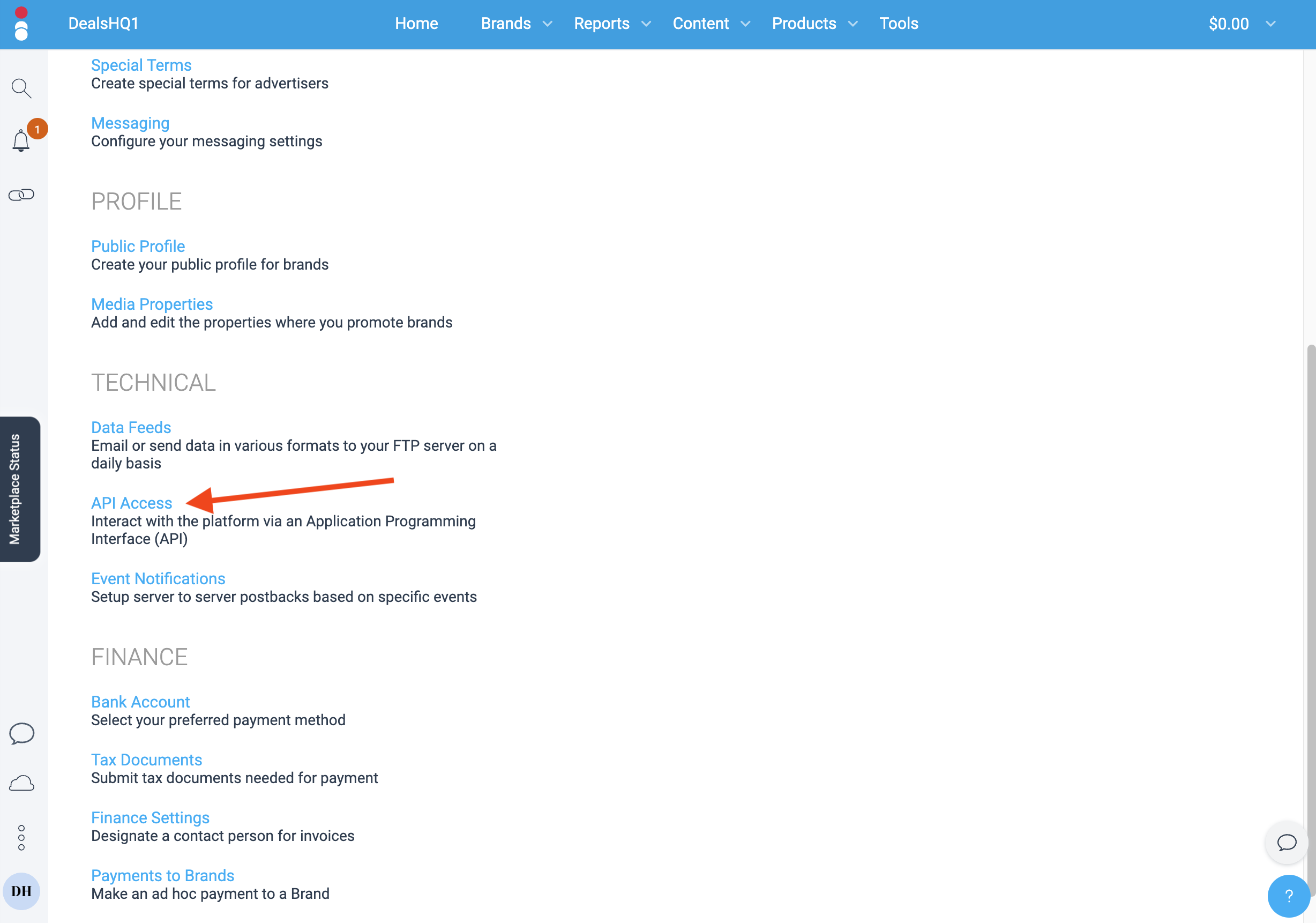
- Scroll down and click on API Access to access the API Settings page
3. Retrieve your Account SID and Auth Token
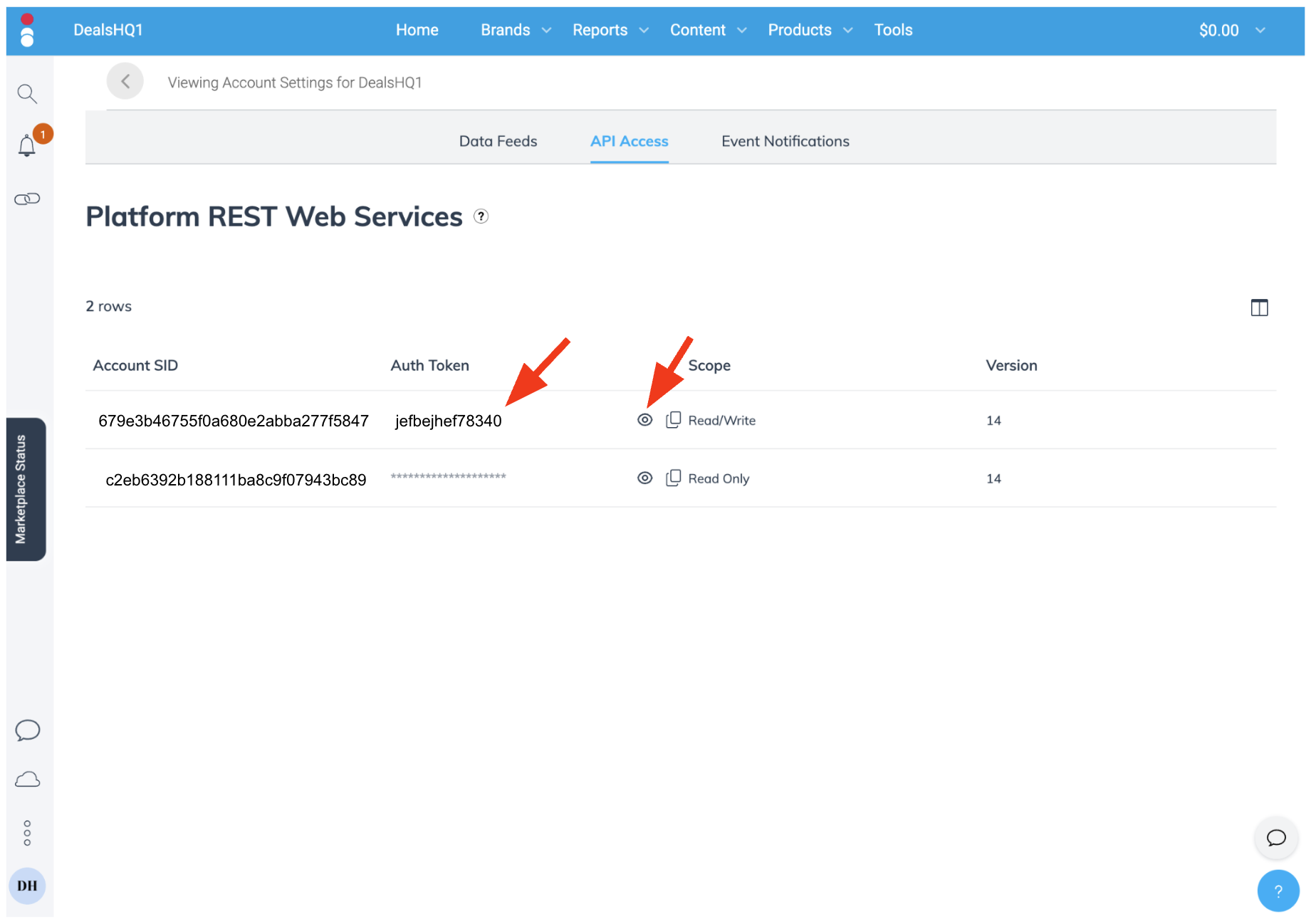
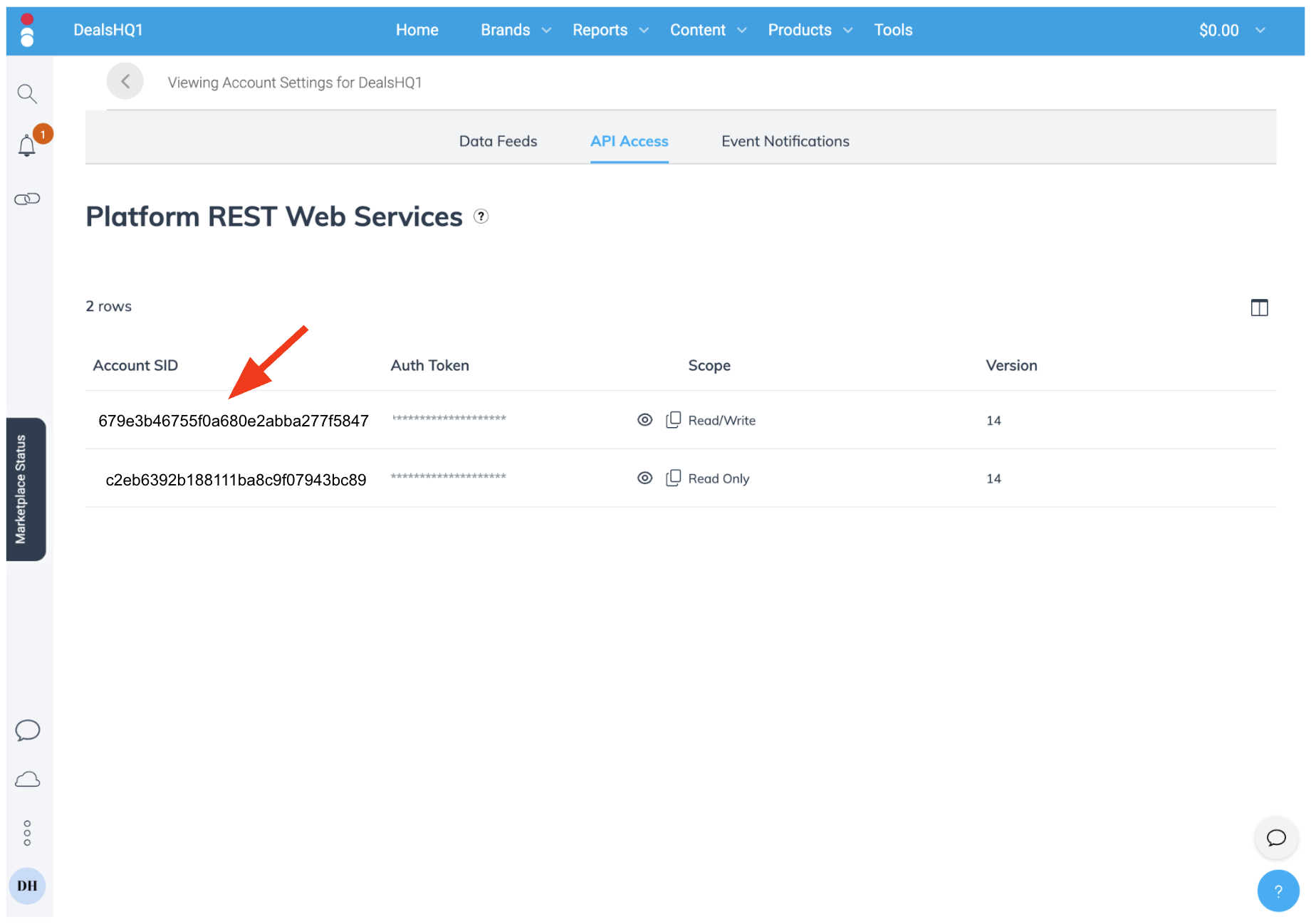
- On the API Settings page, identify the row where the Scope says Read/Write
-
Click on the eye icon to reveal the Auth Token, and copy it.
-
Copy the Account SID for that same row.
4. Connect Impact.com to AffEasy
- Go to your AffEasy account settings.
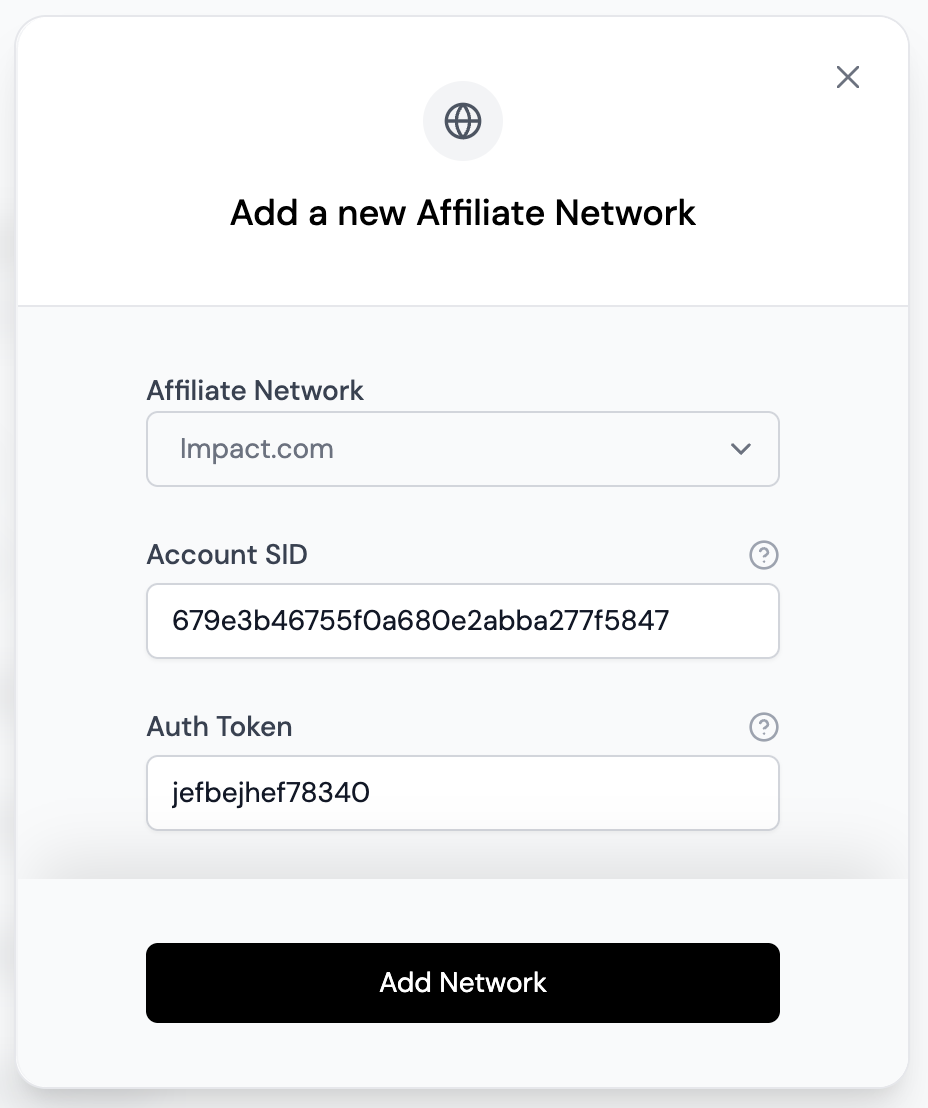
- Click “Add”.

- Select Impact.com from the list.
-
Enter the following details:
- Account SID (from Step 3)
- Auth Token (from Step 3)
- Click “Add Network” to finalize the integration.
What’s Next
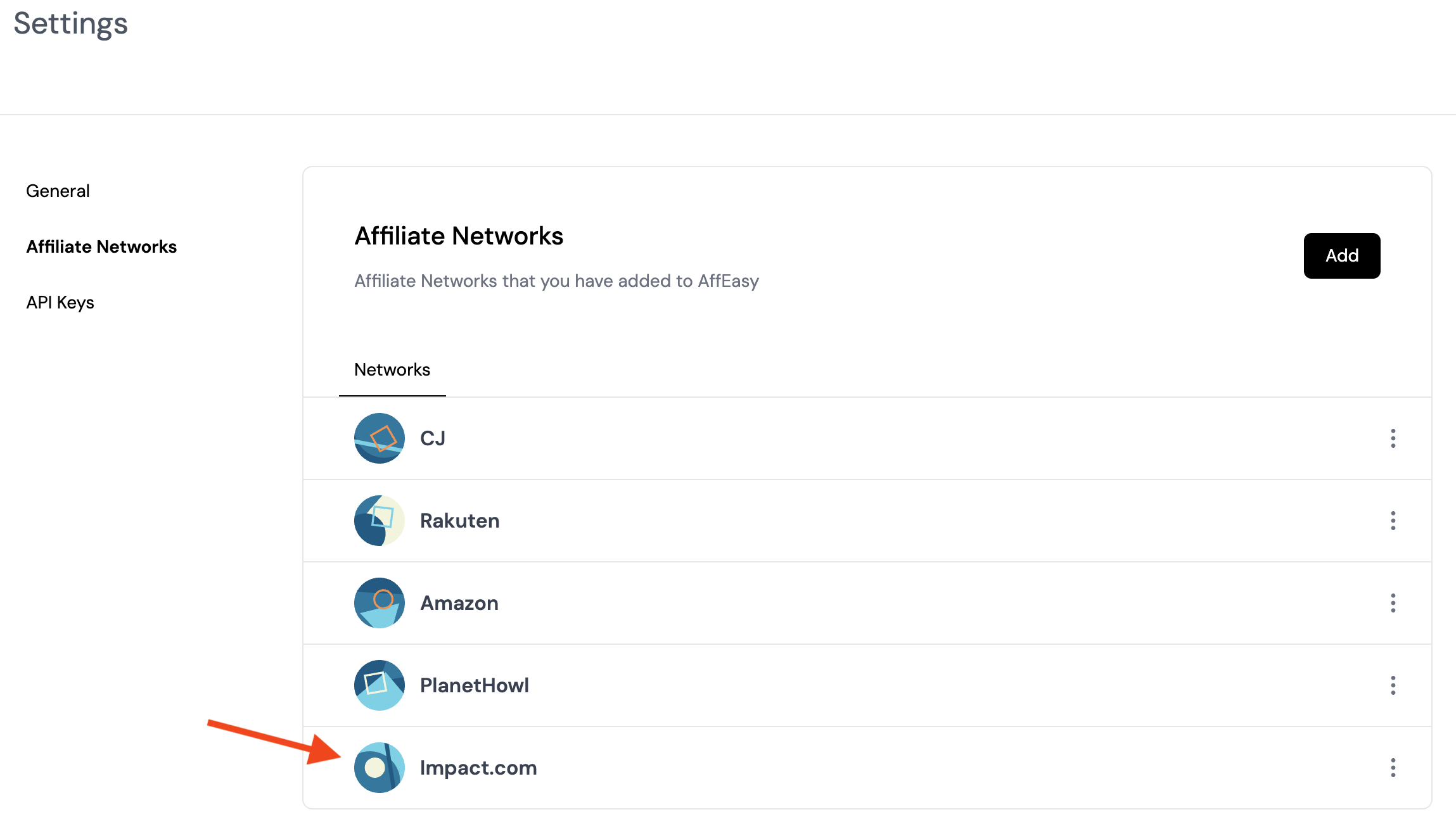
Congratulations! Your Impact.com account is now connected to AffEasy. Here’s what you can expect:- AffEasy will automatically sync your Impact.com brand partnerships.
- You can now create affiliate links for your Impact.com brands directly from your AffEasy dashboard.
- No need to use Impact’s tools for link generation anymore.
Troubleshooting
If you encounter any issues during the integration process:- Double-check all entered information for accuracy.
- Ensure your Impact.com account is in good standing.
- Clear your browser cache and try again.
- Contact AffEasy support if problems persist.