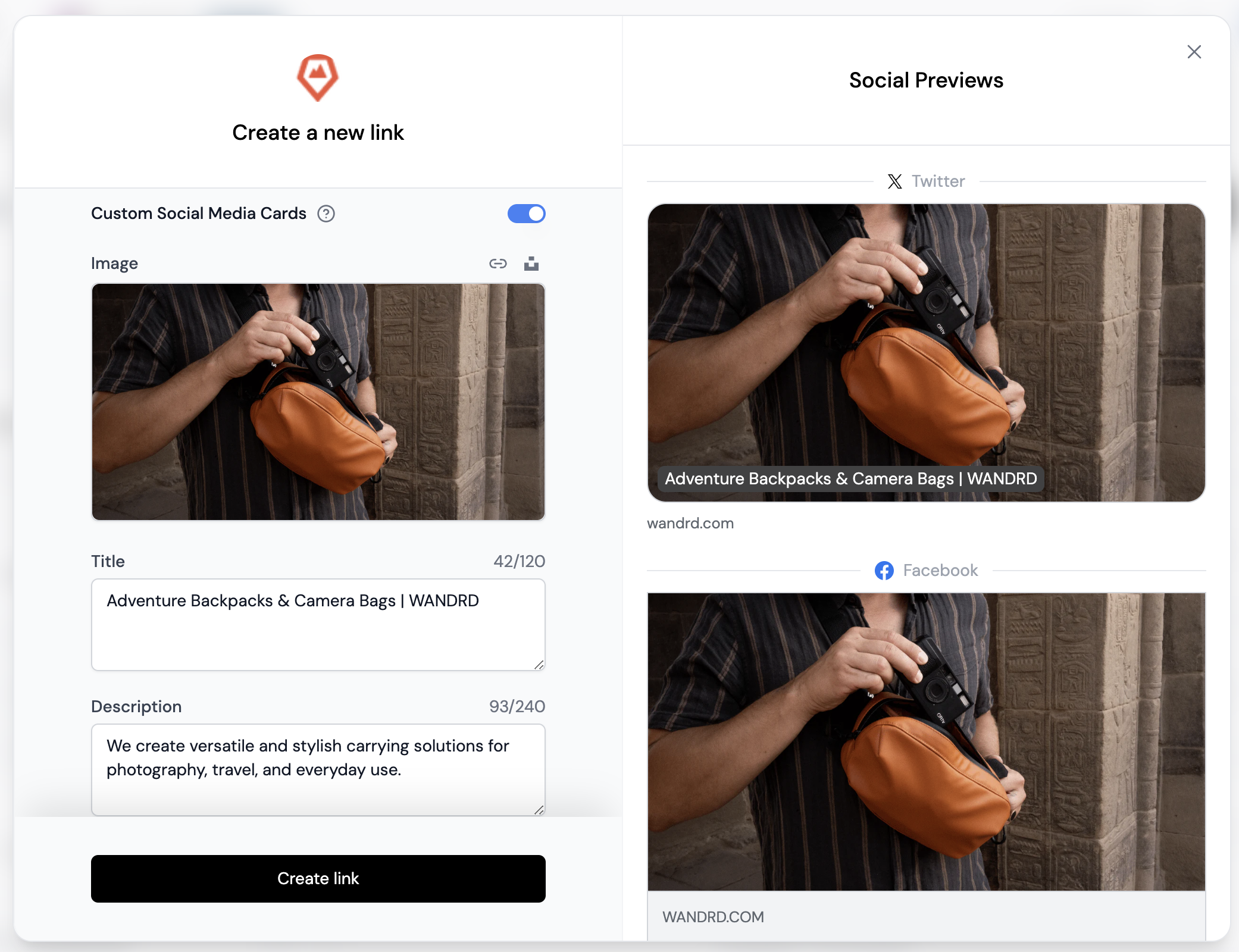
AffEasy is the only affiliate management tool that lets you customize the social media cards for your links, giving you full control over how your links appear when shared on social media platforms.Documentation Index
Fetch the complete documentation index at: https://docs.affeasy.link/llms.txt
Use this file to discover all available pages before exploring further.
This feature is only available for Pro plans and above.
Why set custom social media cards?
When running marketing campaigns, it’s crucial to maintain a consistent brand voice across your links. However, this isn’t always possible, especially when collaborating with external partners. With AffEasy, you can set a custom-designed social media card for your link, which significantly improves the click-through rate and performance of your short link.How to set a custom social media card
To use this feature, follow these steps:- Open the link builder in your AffEasy dashboard.
- Toggle the “Custom Social Media Cards” switch. This will reveal the following fields: a. Image: Upload an image from your computer or drag and drop an image into the field (recommended size: 1200 x 630 pixels, max 1.5MB). b. Title: Enter the title for the social media card (max 120 characters). c. Description: Provide a description for the social media card (max 240 characters).